• For the past few months, we’ve been doing a massive cleanup and restructuring of the Martini engine—not just to make everything faster and more secure, but to set the foundation for one of our most requested features.

    Today, we’re excited to finally share what’s coming next: Workspaces.

    Why Workspaces?

    Martini has always been about collaboration. A commercial or film rarely involves just a handful of people. Between directors, producers, creatives, and key department heads, a single project can easily involve ten, fifteen, or even twenty people.

    Until now, Martini has handled that collaboration well—but as teams grow and projects overlap, the need for a more organized structure becomes essential.

    Workspaces solve that.

    What Is a Workspace?

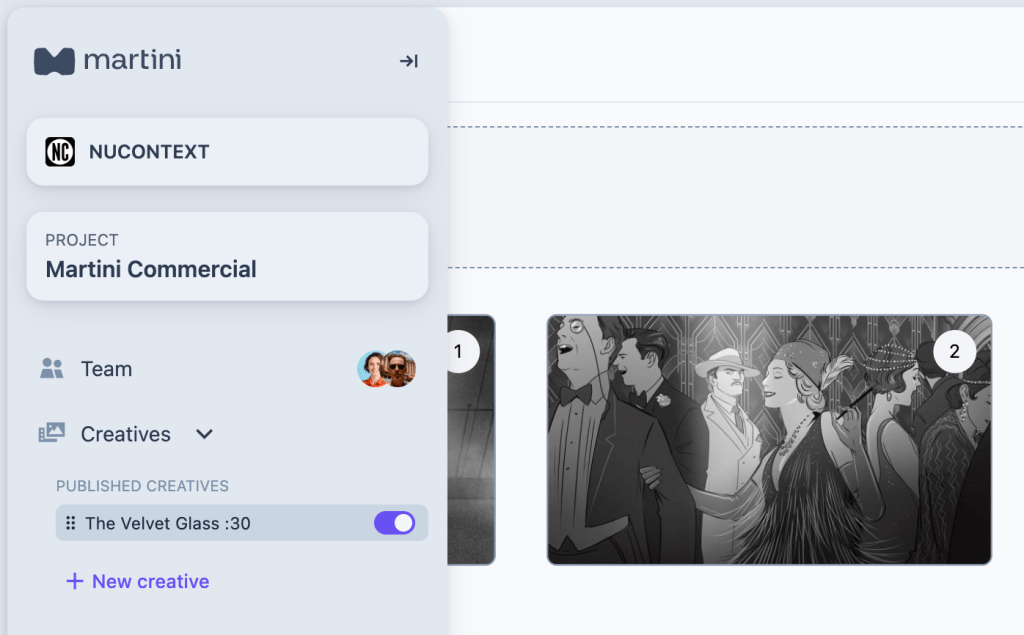
    Think of a workspace as your organizational home.

    It can be:

    • Your production company
    • Your agency
    • Your internal creative team
    • Or even just you—your own personal workspace

    Moving forward, every project in Martini will live inside a workspace.

    Workspaces include two types of people:

    Team Members

    These are the core people in your organization—your directors, producers, editors, coordinators—the ones who are involved across many (or most) of your projects.

    Collaborators

    These are invited production partners—DPs, art directors, stylists, VFX artists—who may only join for specific shoots or select projects.

    By separating these roles, building your team becomes dramatically easier. And for people like ADs or freelance creatives who work with multiple companies, Workspaces provide instant clarity about which project belongs where.

    No more guessing.
    No more digging.
    Just clean organization and better workflow.

    A New Chapter: Subscription Plans

    With this release, we’re also introducing subscription-based plans. We’re moving away from one-time payments and transitioning into a model that allows us to continuously improve Martini with faster updates, better support, and a stronger long-term roadmap.

    More details on pricing and tiers will be shared very soon.

    This Is a Huge Milestone

    Workspaces are one of the biggest updates we’ve ever shipped—and they unlock everything that’s coming next.

    We’re incredibly proud of how far Martini has come and even more excited for what this next chapter will bring.

    Stay tuned. Workspaces arrive next month.

  • Say goodbye to printed boards and guesswork.

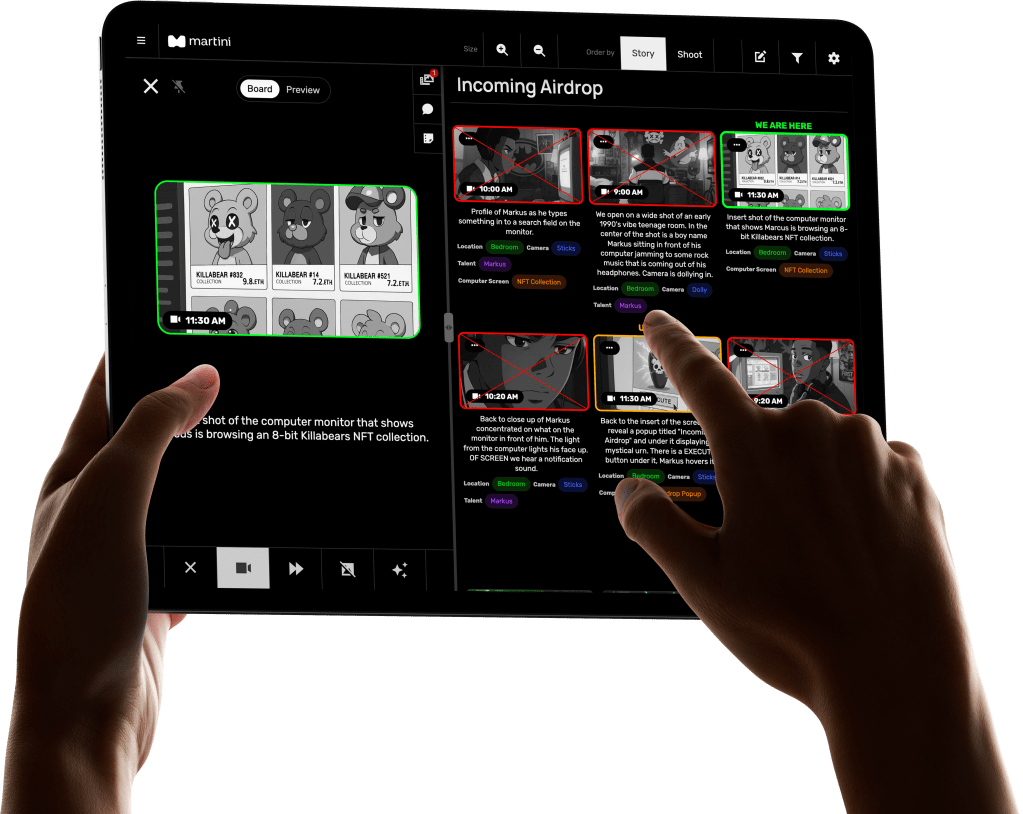
    Martini is the new industry standard digital storyboard and shot list platform built by producers, for producers. Designed to keep every department in sync, Martini transforms your pre production and on-set experience, letting you plan, preview, and collaborate your storyboards in real time, all in one seamless web based software tool.

    Your Entire Production, Synced Across Every Screen.

    Use Martini alongside our custom Martini screens on set connecting to your iPad, phone, or laptop, to stay in synch not matter where you are on set or remote. Update script and boards day of. Utilize our tagging feature, to add notes about talent, lensing, lighting or VFX notes. Adjust shot order. Share updates instantly with your director, DP, and client. No more group texts or lost PDFs. Martini makes it all happen in real time, whether you’re on set, in video village, or halfway around the world.

    Go digital with your boards

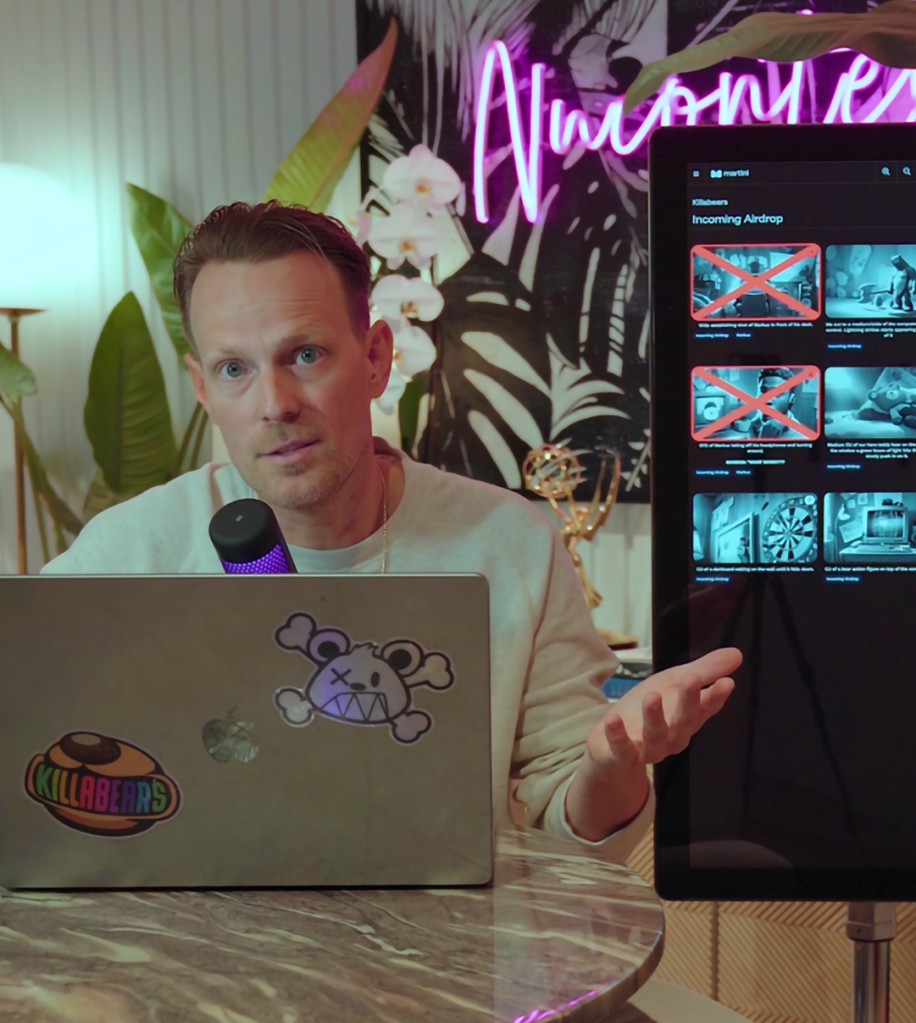
    Say goodbye to paper cutouts. Martini Screens are available in Los Angeles, New York, and London—bringing your boards to life across every screen. Need them somewhere else? Reach out and we’ll make it happen.

    Get started with Martini

    Book your 1-on-1 onboarding session using the link below and start using Martini on your next set.

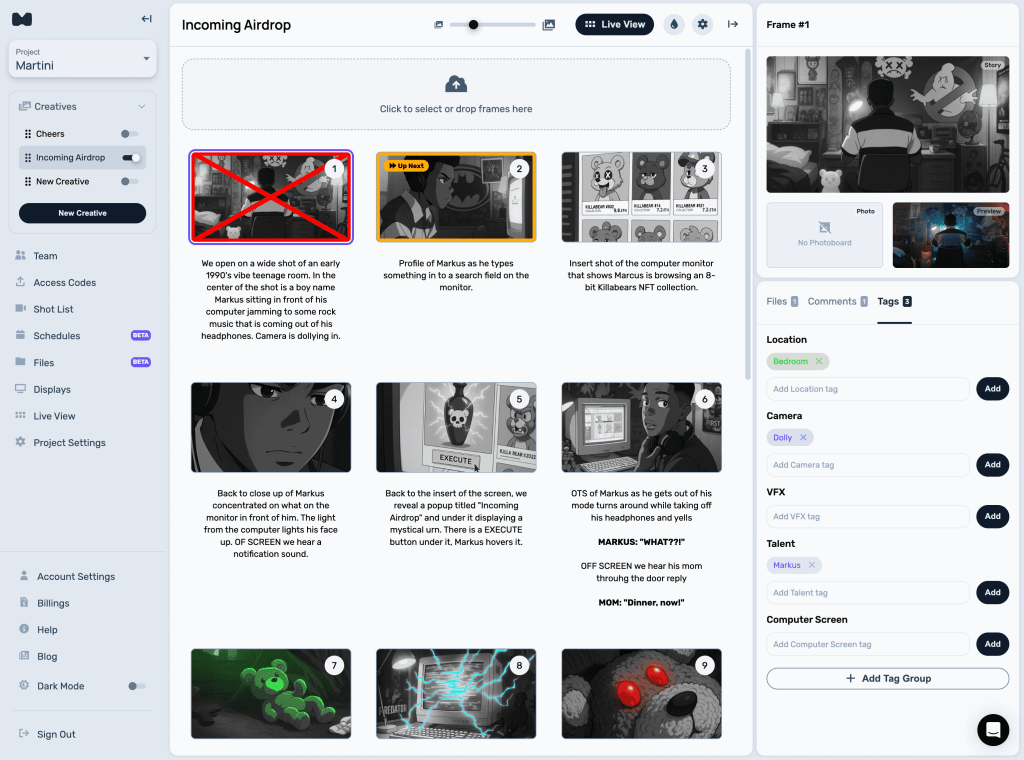
  • We’ve redesigned the Creative Builder to make your frame workflow faster, cleaner, and more powerful.

    All Your Frame Info, Now in One Place

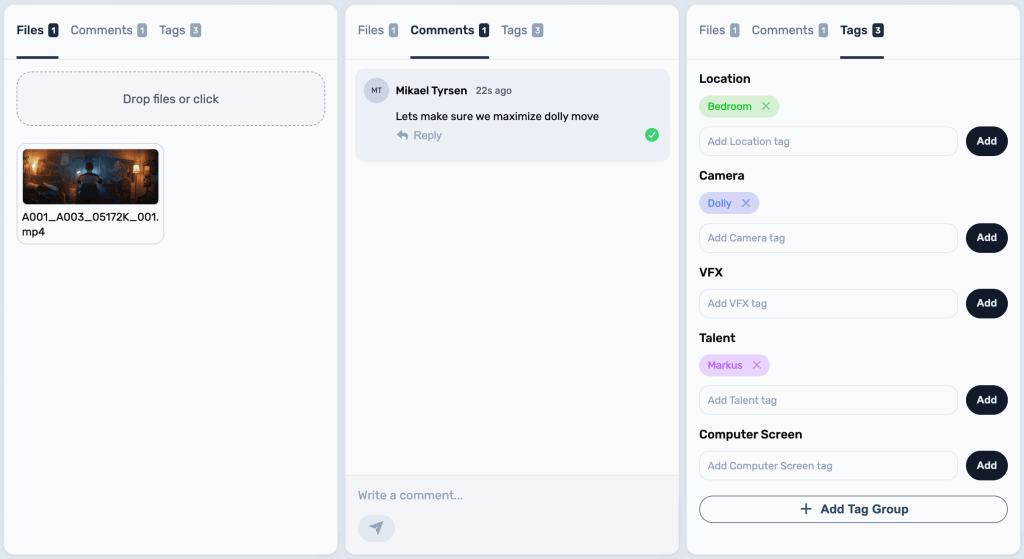
    When you select a frame in the grid, everything about it now appears neatly in the sidebar — your frame’s files, comments, tags, and image slots.
    You’ll see your Storyboard, attached Photoboard, and the new Preview Board, which lets you upload clips from your shoot to help visualize progress and review each frame as you cross them off throughout the day.

    Drag, Drop, and Crop — Anywhere

    You can still drag and drop images directly onto frames in the grid to upload or replace them. Or, manage images right from the sidebar.
    Cropping now works across both Storyboards and Photoboards, giving you full visual control.

    Smarter Space Management

    Need more room to focus?
    You can toggle the sidebar from the top-right header icon, or simply double-click a frame to bring it up instantly.
    We also added a slider to resize your grid — or use your keyboard shortcuts [ + ] to toggle the menu and sidebar for a cleaner, full-screen workspace.

    Tag and Organize Faster

    Tags are now live directly inside the Creative View.
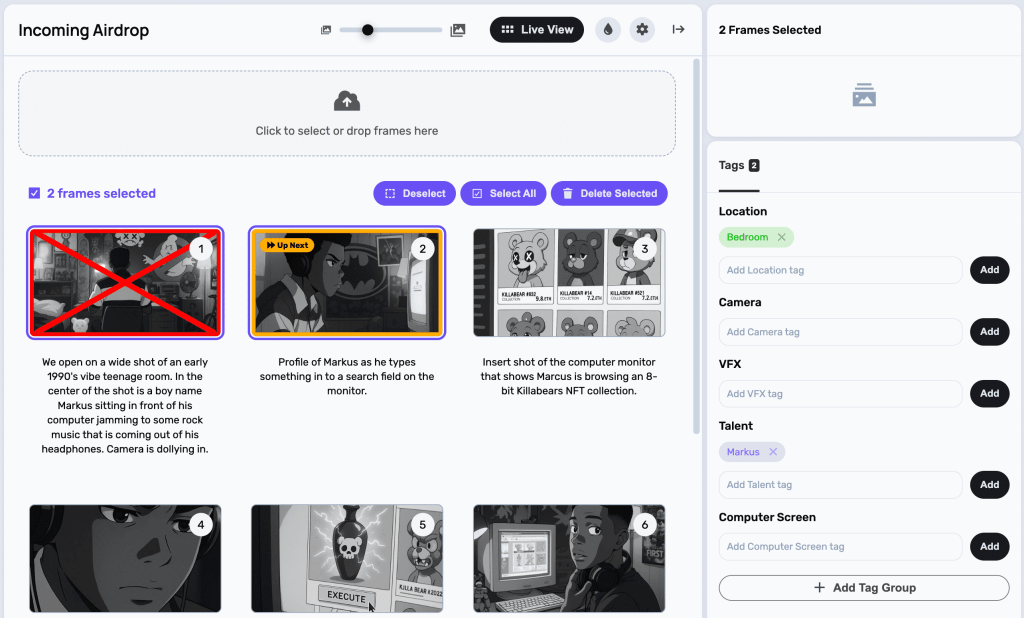
    You can add or remove tags and tag groups on any selected frame, or even batch-tag multiple frames at once.
    Just hold Alt (Windows) or Command (Mac) to select multiple frames, then add, delete, or tag them all together.
    And yes — you can also delete multiple frames at once if needed.

    This update makes organizing, previewing, and tagging your creative boards smoother than ever.
    Dive in and experience the new flow today — your boards just got a major productivity boost.

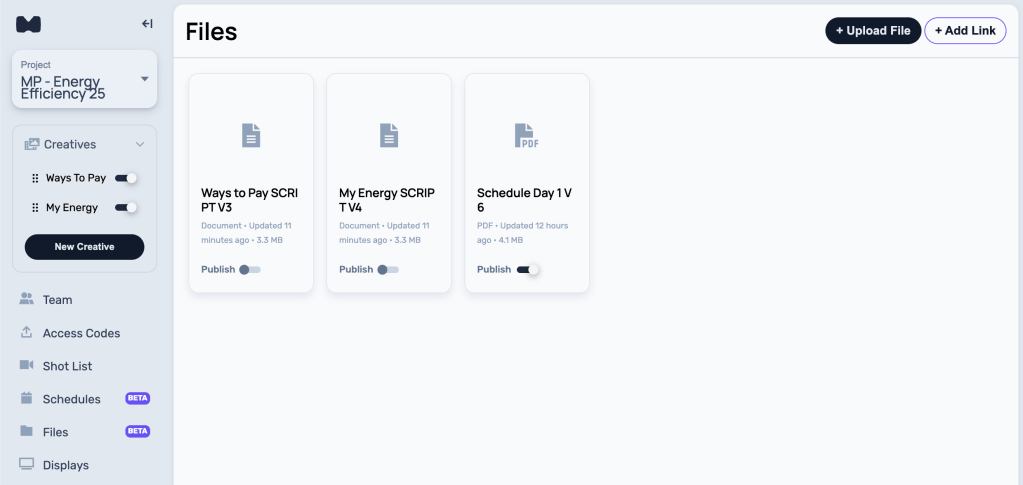
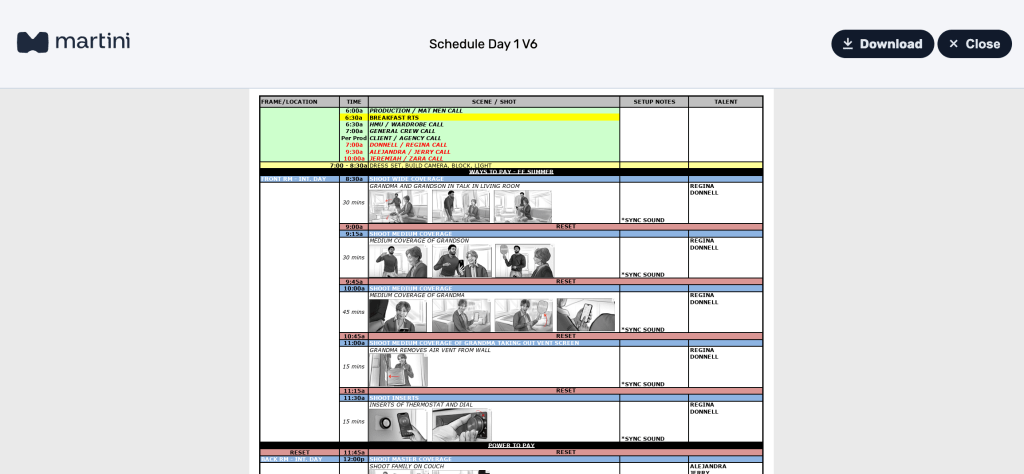
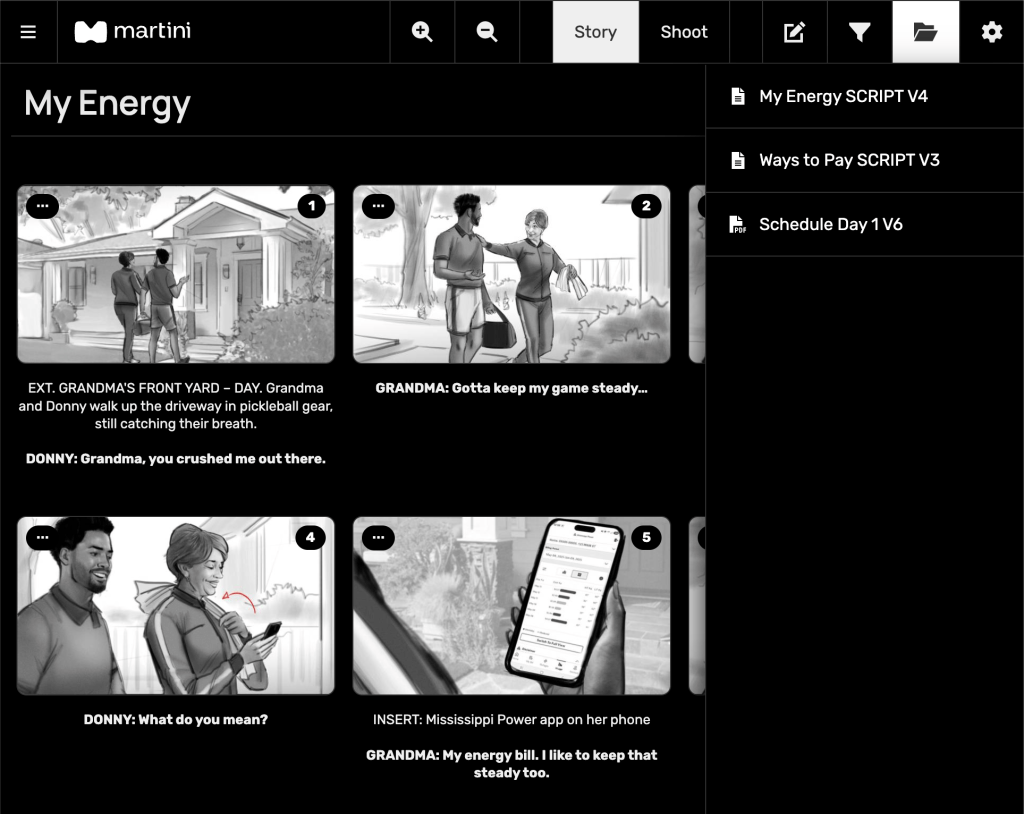
  • Production can be messy. Between endless versions of scripts, schedules, and Google Docs flying around, it’s easy for things to get lost in the chaos. That’s why we’ve introduced Project Files, a new feature in Martini that keeps every important document in one organized place — right inside your project.

    Keep All Your Key Documents in One Place

    Now you can upload or link everything your team needs — from call sheets and schedules (for those who don’t use Martini’s built-in scheduler) to scripts, decks, and Google Slide pre-production books. Your whole team can access them anytime, from anywhere.

    Share Only What You Want to Share

    Some documents are just for your core production team, while others — like schedules or scripts — need to be accessible to everyone on set.
    With Project Files, you decide what’s visible. Simply publish any file you want to appear in Live View, and it’ll automatically show up in the new file dropdown for your crew.

    Currently in Beta

    This feature is currently in BETA, and we’d love your feedback. If you run into any issues, just click the chat button in the bottom-right corner of any page to reach us directly.

  • Never lose sight of your boards, even in the most spotty terrain. With our new Offline Mode, Martini keeps your boards visible and usable, no matter what your connection is doing.

    We all know internet on set can be unpredictable. Whether you’re on stage or shooting on location, signal can drop at the worst moments. That’s exactly why we created our Martini Touch 5G displays, built to work independently of Wi-Fi. With a solid 5G signal (and T-Mobile, you usually have one), you stay connected.

    But what happens if you don’t have a 5G display, and your internet cuts in and out? In the past, you’d be redirected to an Offline page—losing visibility into your boards. Not ideal.

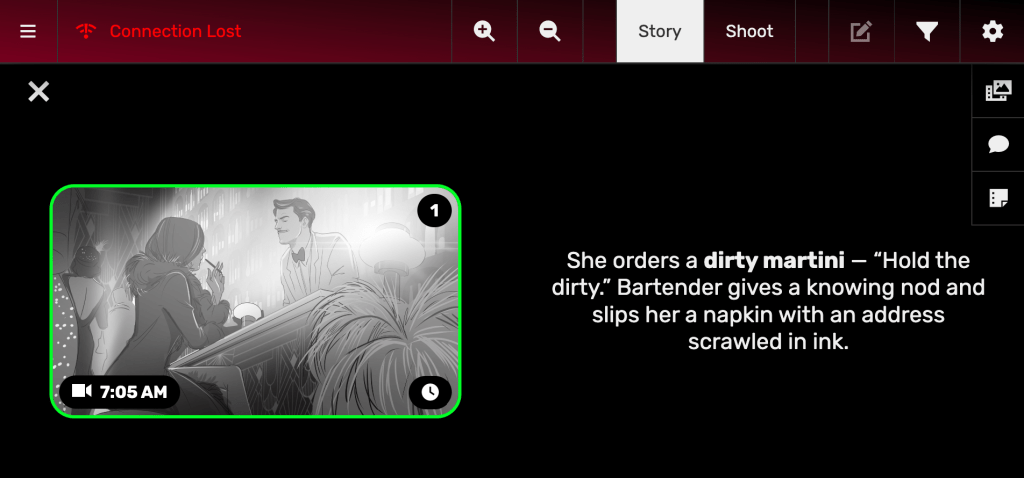
    Now, Offline Mode changes that. Instead of being locked out, Martini keeps your boards live and interactive. You’ll see a clear indicator if your connection is unstable or offline, but you can still keep working—crossing off boards and making updates. Once you’re back online, everything syncs seamlessly to the server.

    This makes Martini stronger, more reliable, and ready for whatever the set throws at you.

    Keep your boards up, even when your connection is down.

  • We’ve just rolled out a fresh update to make your split view even more flexible. Now you can resize the split view to fit your workflow. Simply drag the divider up and down (or left and right in landscape mode) until you find the perfect balance. Best part? Martini will remember your preference next time you log in.

    What else is new:

    • Double-tap to open Split View
      Previously a single tap, opening split view now requires a double tap. This change reduces accidental activations and gives you more control.
    • Frame highlighting in Split View
      The frame you’re viewing is now automatically highlighted in the list (unless marked). This makes it crystal clear which frame is active, helping you stay in sync while you work.

    These improvements are designed to make Martini’s split view smoother, smarter, and more reliable — so you can focus on what matters most: the shot in front of you.

  • Headed to IBC 2025 + New: Martini Serve (Alpha)

    Good morning! We hope you’re enjoying the latest and greatest from Martini.

    First up: we’re headed to IBC 2025 in Amsterdam—and we’re thrilled to demo Martini on our 4K displays live. It’s the first time Europe gets hands-on with Martini. Huge thanks to Z-Cam for making this happen.

    Come say hi: Hall 11 — 11.B26

    Introducing MARTINI SERVE (Alpha)

    Meet Martini Serve, our VTR-like companion app. It automatically records camera proxies and pushes them to the active frame in Martini the moment you cut. That means clips land on your frame instantly, so you can play back takes with a single click—no more calling over intercom to pull up shots.

    What’s new & coming soon

    • Heart frame files in Live View
      Got a favorite take uploaded to a frame? Heart it to mark it as a standout.
    • Script Notes
      Big one: you can now attach script notes to keep on-set and post organized. We’ll be showing this at IBC.
    • Capture Board
      Get a bird’s-eye view of your day. Click any clip/file in a frame and set it as a Capture Board—we’ll add that clip’s thumbnail as an additional board on the frame. Think of it as quick “screenshots” of what you actually shot, giving you a clearer, real-time overview than storyboards alone.

    See you in Amsterdam!