
We’ve redesigned the Creative Builder to make your frame workflow faster, cleaner, and more powerful.
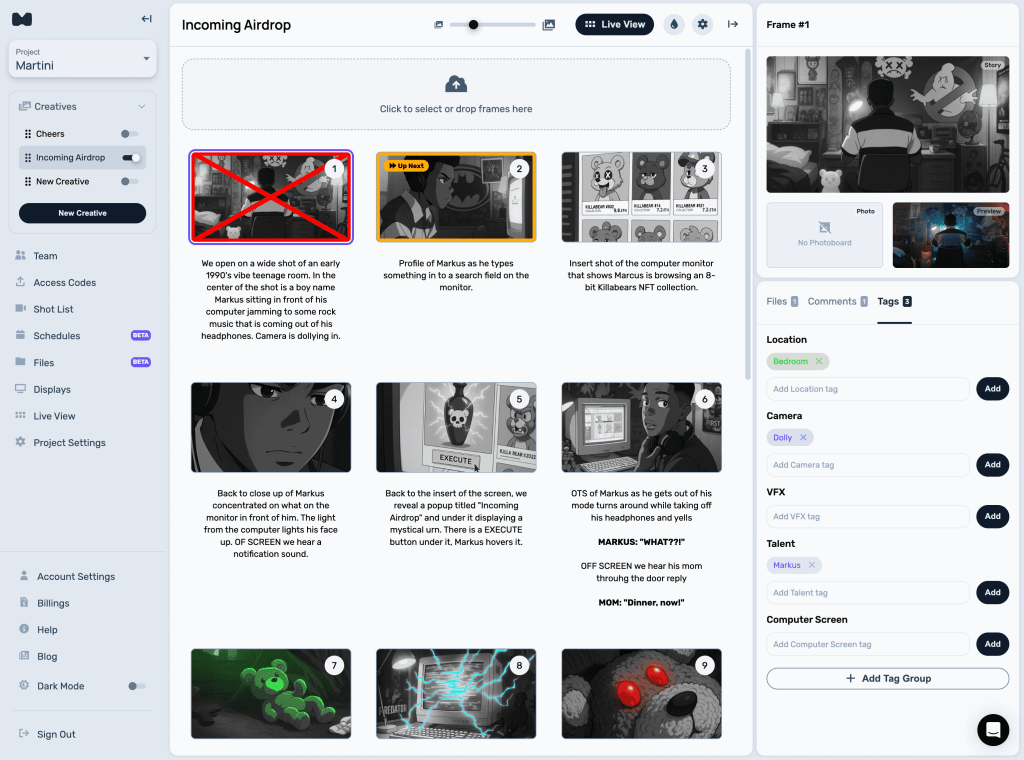
All Your Frame Info, Now in One Place
When you select a frame in the grid, everything about it now appears neatly in the sidebar — your frame’s files, comments, tags, and image slots.
You’ll see your Storyboard, attached Photoboard, and the new Preview Board, which lets you upload clips from your shoot to help visualize progress and review each frame as you cross them off throughout the day.
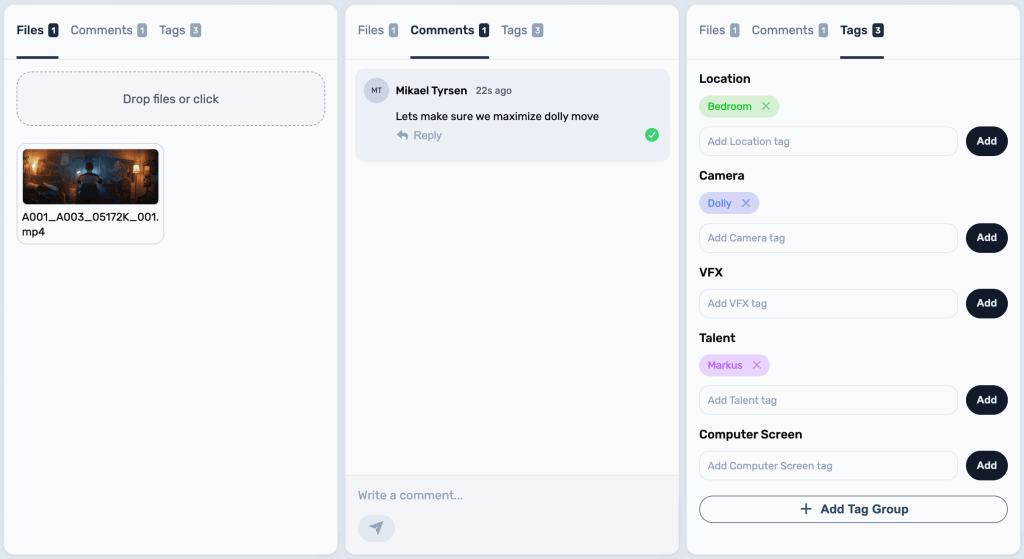
Drag, Drop, and Crop — Anywhere
You can still drag and drop images directly onto frames in the grid to upload or replace them. Or, manage images right from the sidebar.
Cropping now works across both Storyboards and Photoboards, giving you full visual control.
Smarter Space Management
Need more room to focus?
You can toggle the sidebar from the top-right header icon, or simply double-click a frame to bring it up instantly.
We also added a slider to resize your grid — or use your keyboard shortcuts [ + ] to toggle the menu and sidebar for a cleaner, full-screen workspace.
Tag and Organize Faster
Tags are now live directly inside the Creative View.
You can add or remove tags and tag groups on any selected frame, or even batch-tag multiple frames at once.
Just hold Alt (Windows) or Command (Mac) to select multiple frames, then add, delete, or tag them all together.
And yes — you can also delete multiple frames at once if needed.
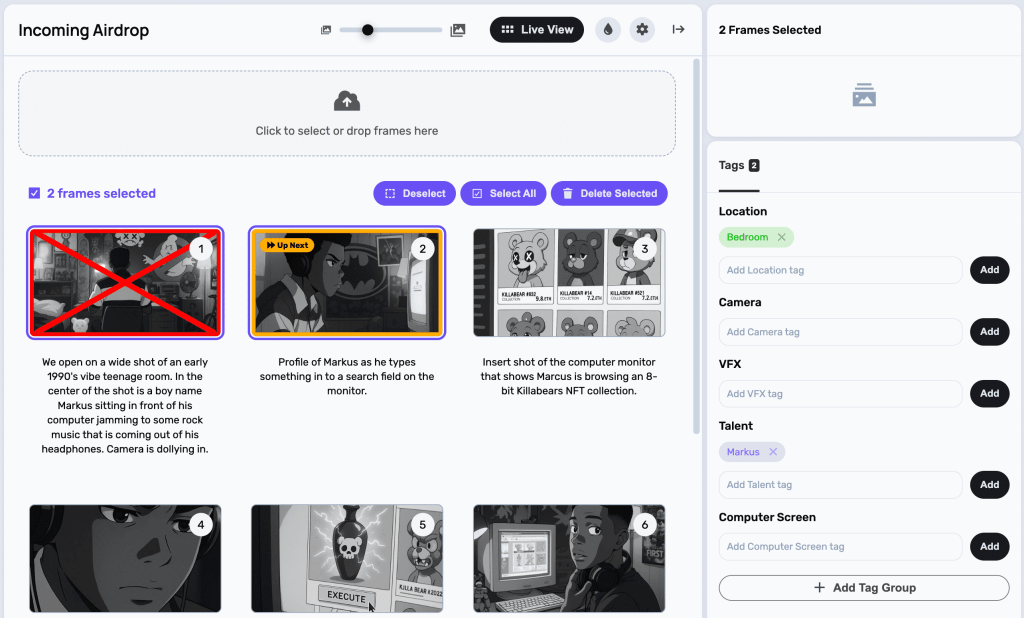
This update makes organizing, previewing, and tagging your creative boards smoother than ever.
Dive in and experience the new flow today — your boards just got a major productivity boost.
 Martini
Leave a comment